Clicking the "I'm not a robot" checkbox has become part of everyday browsing. Most internet users complete CAPTCHA tests without giving them a second thought.
Cybercriminals are now taking advantage of that habit by creating fake CAPTCHA pages designed to trick people into installing malware on their own devices. This scam, commonly known as the ClickFix scam, can give hackers access to passwords, banking details, cryptocurrency wallets, and other sensitive information.
Recognizing the warning signs can help prevent serious financial and identity theft risks.
How the Fake CAPTCHA Scam Works
A fake CAPTCHA attack begins like a normal verification process. After visiting a website, a prompt appears asking users to confirm they are human. At first glance, it looks legitimate. The scam starts immediately after the CAPTCHA is completed.
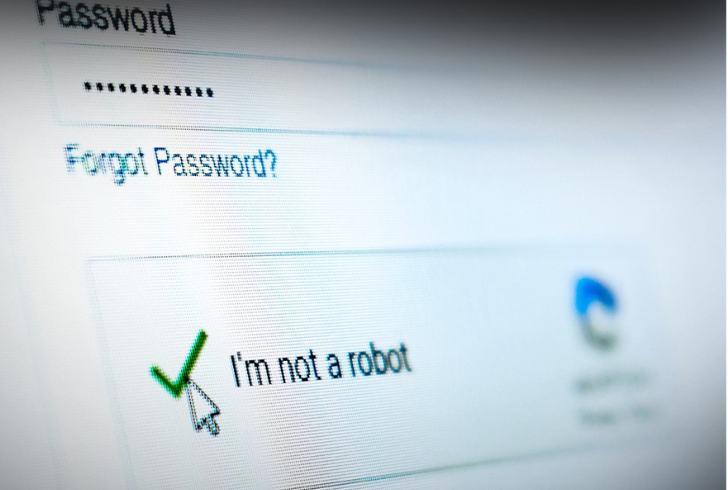
Instagram | wcvb5 | Fake CAPTCHAs trick users into copying and running clipboard commands that secretly install malware.
Instead of granting access, another message claims the verification has failed and instructs users to fix the issue manually. The page may display buttons labeled "Fix It" or "How to Fix." Clicking either option secretly copies malicious code to the device's clipboard without the user's knowledge.
The real danger appears in the next step. Victims are instructed to paste and run the copied command, which installs malware directly onto the system.
Why the Scam Is So Effective
Security experts warn that this attack works because users unknowingly run the malicious code themselves.
According to Security Boulevard, hackers trick users into installing the malware instead of forcing it onto the device. After the malware starts running, it can steal passwords, browser data, banking details, cryptocurrency wallet credentials, and other personal files. Hackers may also sell the stolen information to other cybercriminals.
Since users launch the malware themselves, traditional antivirus programs may not flag the activity right away. WGAL TV also reported that manually entering the commands makes the attack harder to detect than a typical software exploit. This is why fake CAPTCHA scams can bypass security checks and catch users off guard.
Commands Used to Install Malware
The instructions differ depending on the operating system.
On Windows, victims may be told to:
1. Press Win + R to open the Run dialog.
2. Press Ctrl + V to paste the copied command.
3. Press Enter, which executes the malware.
On Mac devices, the instructions typically include:
1. Press Command + Space to open Spotlight Search.
2. Type Terminal and press Enter.
3. Press Command + V to paste the copied code into Terminal.
4. Press Return to run the command.
Legitimate CAPTCHA systems never require these actions. Any request to open system tools or enter commands after completing a CAPTCHA should be treated as an immediate warning sign.
What to Do After Clicking a Fake CAPTCHA
Pexels | Act immediately if you interact with a fake CAPTCHA to limit damage and protect your data.
The Identity Theft Resource Center advises taking immediate action after interacting with a fake CAPTCHA or entering suspicious commands. Quick action helps limit the damage and protects sensitive information.
Follow these steps:
1. Disconnect the device from the internet by turning off Wi-Fi or unplugging the network cable.
2. Next, use a different and trusted device to change passwords for important online accounts.
3. Then, run a full antivirus scan if trusted security software is already installed.
4. If the device does not have antivirus software, take it to a qualified technician for a complete security scan.
5. Finally, check bank accounts and credit card statements for unexpected or unauthorized transactions.
These simple steps can lower the chance of identity theft and financial loss.
Online CAPTCHA tests help websites block automated traffic. However, criminals now use fake CAPTCHA pages to trick people into installing malware. A real CAPTCHA only confirms that a visitor is human. It never asks users to open the Run dialog, launch Terminal, or paste commands into the system.
Instead, leave the website immediately if a CAPTCHA asks for these actions. Also, keep trusted antivirus software up to date and enable multi-factor authentication on important accounts. These security habits add another layer of protection and make it much harder for hackers to access personal information.